One single tool, more formats
Anytime that you finish a document (we also call it “hypertext”), you can publish it both to the Web and also, for example, on a CD. Many different formats are handled easily and without manual conversion.
With a single click, a whole page set can be transferred to the Internet, using the internal FTP engine. With another click, you can publish the same page-set on a CD, using the internal CD Wizard, visually, and without the need for external applications such as NS or IE. Nothing could be simpler. Furthermore, the document may be saved as an HtmlHelp or WinHelp file, with a click. The “reader” software that is automatically inserted on the CD comes with a built-in full text search engine and built-in shopping cart.
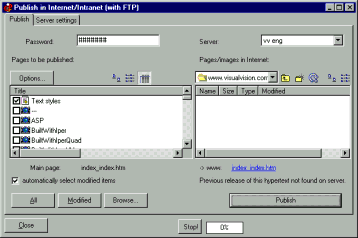
The internal FTP engine can automatically publish only modified pages, with one click on the “Publish” button (Publish >Internet FTP >Publish on the Internet)
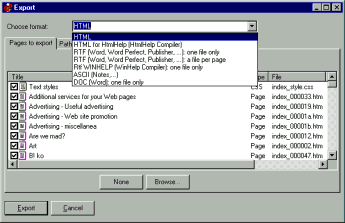
With another click you can publish in many further formats (Publish >Export pages)
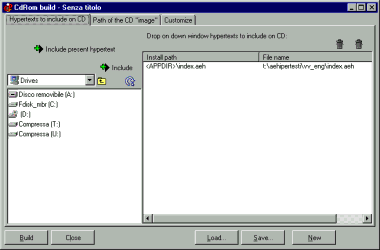
The CD Wizard: with a single click you can make a CD, complete with auto-install (Publish >CD-ROM). Full text search and keyword search available.
Do you have precise and constructive suggestions on how to improve this page with more clear instructions / detail?
Contact us!
Some other VisualVision professional software programs: